> For the complete documentation index, see [llms.txt](https://docs.cakepiexyz.io/llms.txt). Markdown versions of documentation pages are available by appending `.md` to page URLs; this page is available as [Markdown](https://docs.cakepiexyz.io/how-to-use-cakepie/lock-ckp-and-unlock.md).
# Lock CKP & Unlock
CKP holders can lock their tokens as Vote-Locked CKP (vlCKP) to earn rewards and participate in voting.
## **Lock CKP as vlCKP to get voting power and earn rewards**
### **1. Enter** [**Cakepie**](https://www.pancake.magpiexyz.io/stake)
### 2. Navigate to the "Stake" tab
Press "Stake" to see the vlCKP pool
### 3. Select the "vlCKP" Pool
Select the "vlCKP" pool to lock CKP
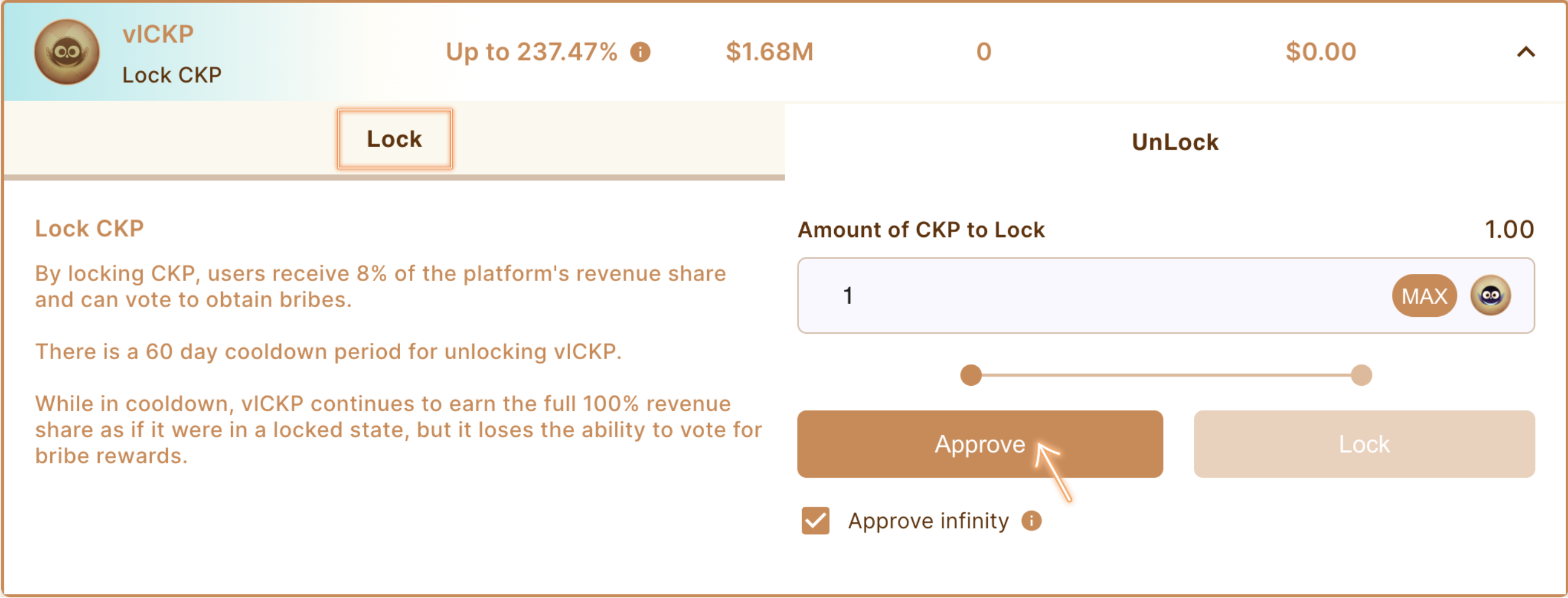
### 4. Approve the lock up of CKP
* Select the amount of CKP to lock
* Approve (Approve infinity can be selected in case that users want to lock more CKP later)
Approve the lock up of CKP
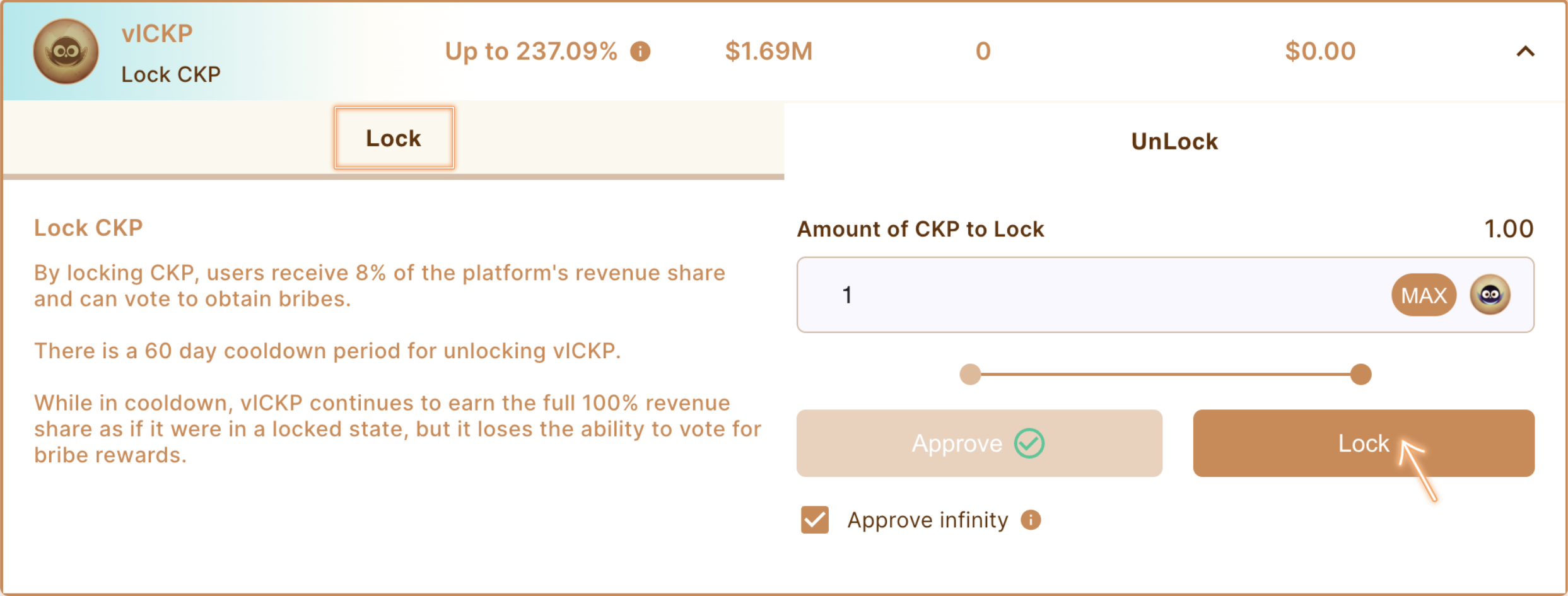
### 5. Lock CKP as vlCKP
Press "Lock" to lock your CKP tokens
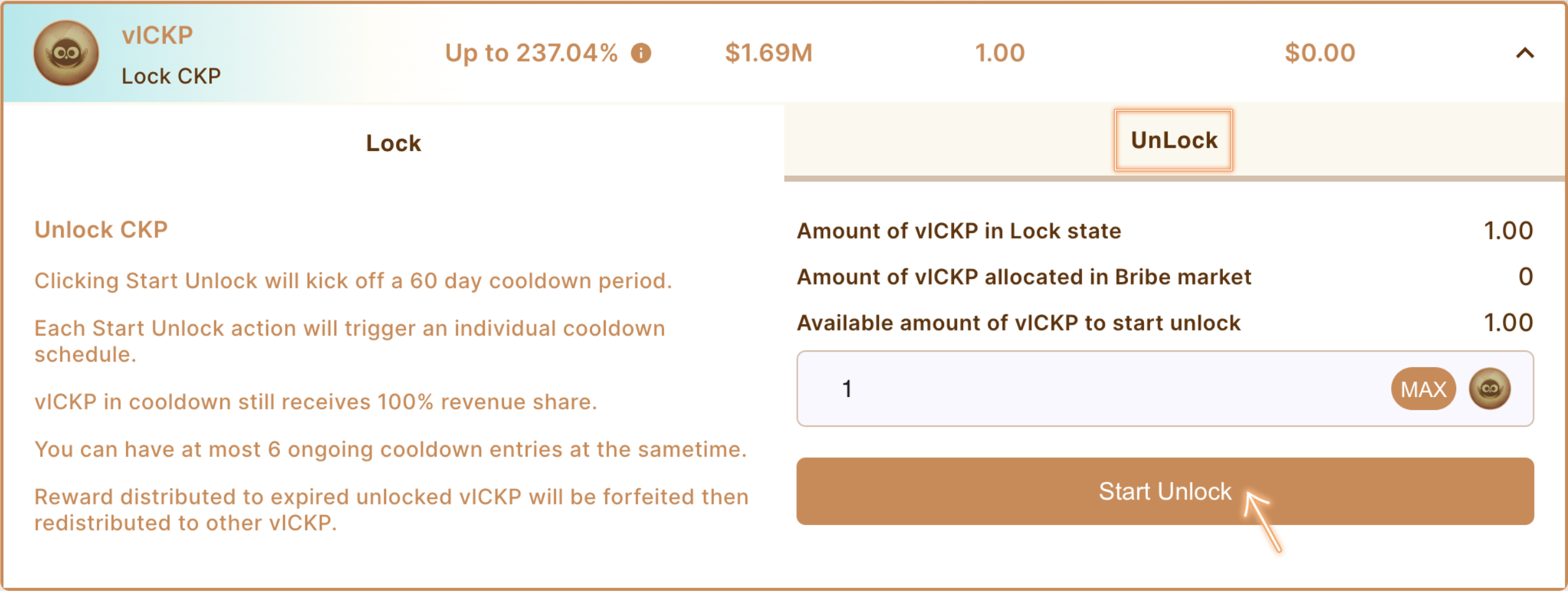
### 6. Unlock vlCKP
* Users must "Start Unlock" to unlock their vlCKP
* Unlocking process lasts 60 days and is known as "Cooldown"
Press "Start Unlock" to unlock your Vote-Locked CKP
## There are three states of vlCKP:
1. Lock State: By default, vlCKP is in the lock state and can vote on Cakepie/PancakeSwap governance, earn rewards for active participation, and vote via the Cakepie Voting Market to earn incentives.
2. Cooldown (or Unlocking) State: vlCKP enters the cooldown state once tusers start unlock. Users can choose the amount of vlCKP to start the unlocking schedule. During the cooldown state, vlCKP can only receive active participation rewards on Cakepie. It is not able to vote on Cakepie governance nor participate in the Cakepie Voting Market.
3. Expired State: Once the "Cooldown" period ends, vlCKP enters the expired state. In this state, vlCKP cannot perform any of the following actions: vote on Cakepie's governance, receive any rewards, or use the voting market on Cakepie. Rewards will still be entitled to expired vlCKP, but once a user claims them, the rewards will be forfeited and redistributed to all other vlCKP in the locked state. The forfeited portion is proportional to the amount of expired vlCKP and the duration of its stay in the expired state.